Residents on their phones
The resident portal is designed for small screens first: big buttons, short forms, pay in a few taps.

LogicWorx › CivicSuite

CivicSuite replaces the patchwork of old software, spreadsheets and paper at City Hall with one browser-based system — so every payment, permit, bill and purchase lands in the same place, once.
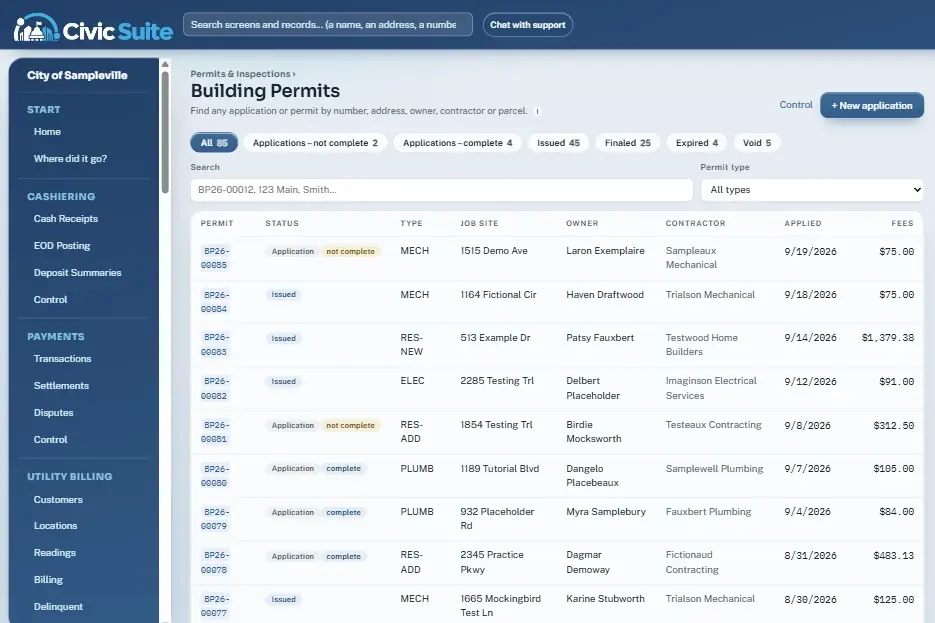
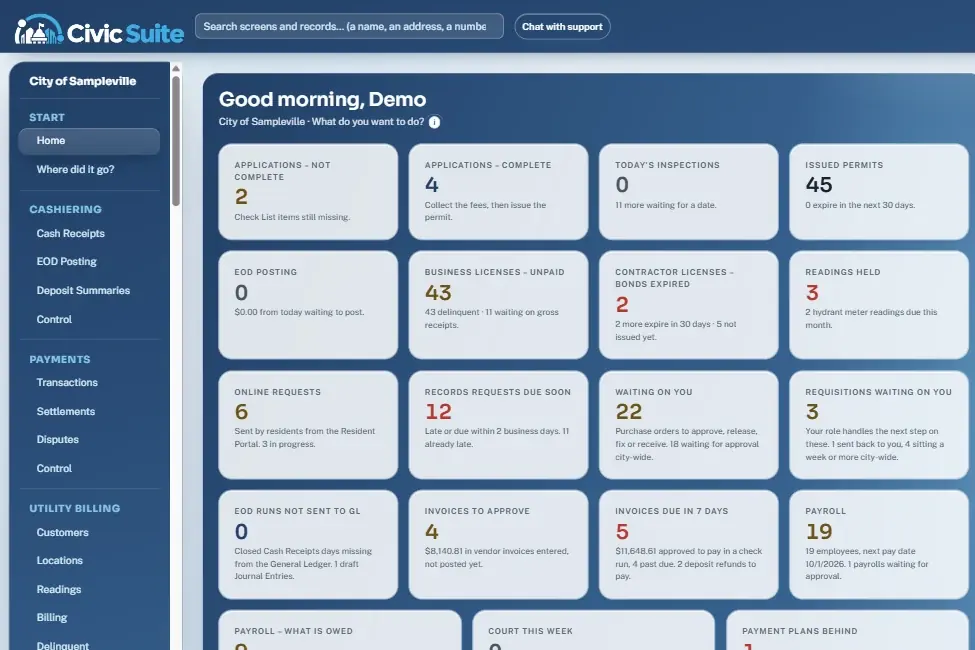
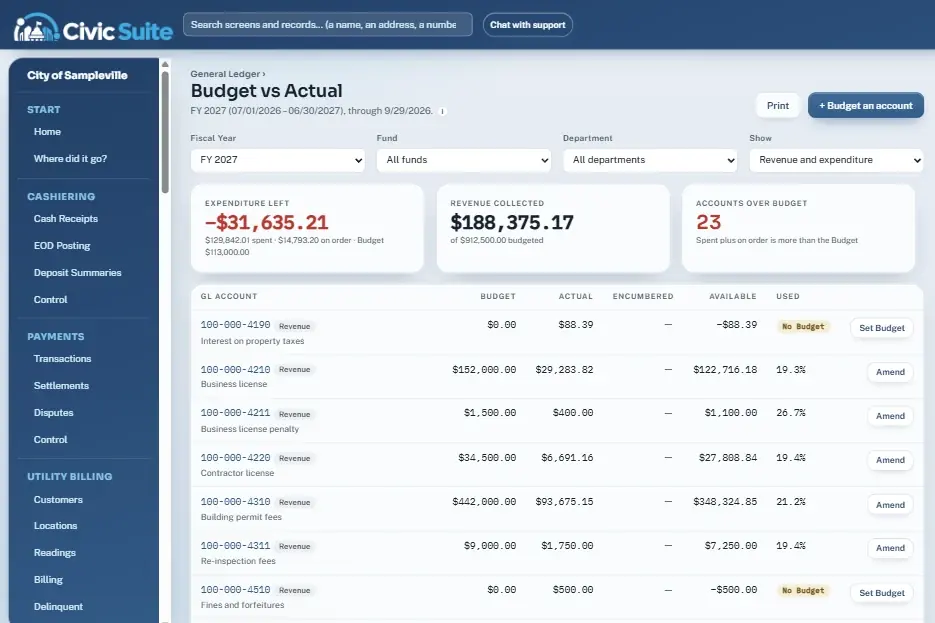
Screens below are from the live demo with made-up sample data.
Nineteen live counts across every department: applications missing Check List items, licenses billed but unpaid, bonds that expired, readings on hold, online requests from residents, records requests near their deadline, purchase orders to approve, invoices due and payroll waiting.
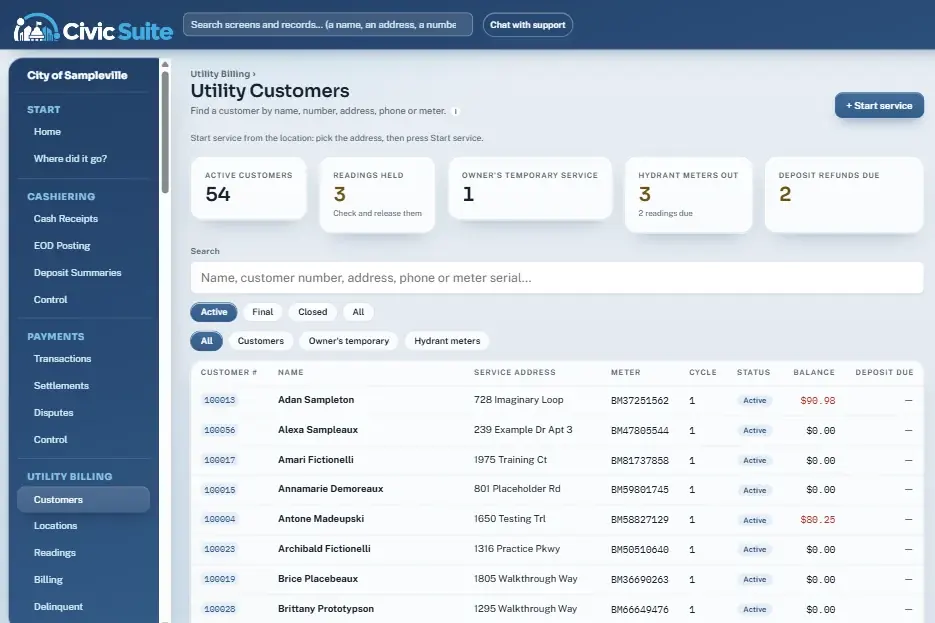
Customer, location, meter, rates, deposit, balance, readings, bills and history on one screen. Import BEACON Billing Reads, hold anything backwards or unusually high, and bill a cycle only when every reading is clean.
The permit number is given as soon as the application is saved and fees are figured as you type. Issuing requires a complete Check List, paid fees and a contractor whose license and insurance are current.
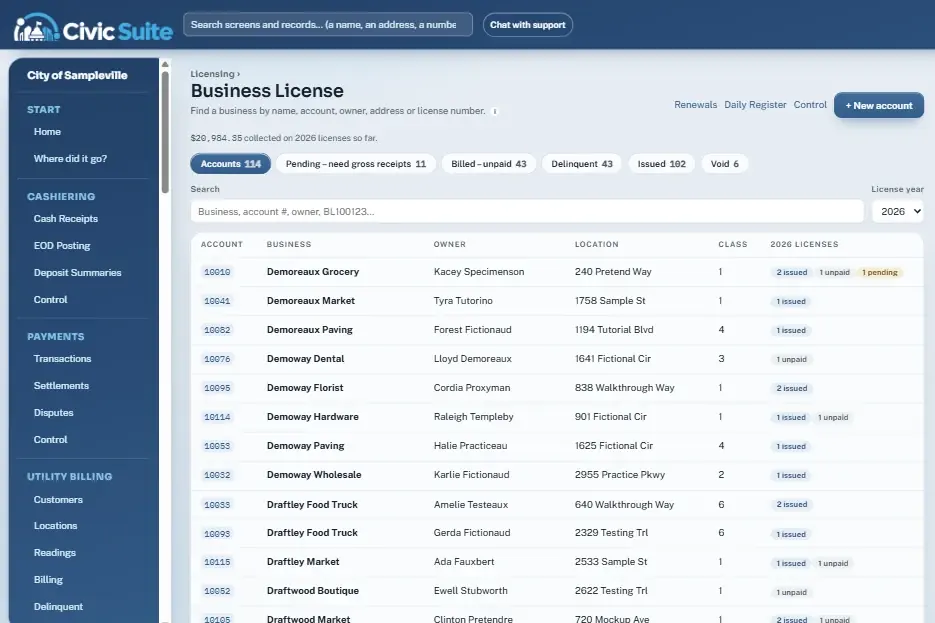
Class codes with gross-receipts rate tables, flat-fee license types, automatic penalties after the delinquent date, and renewals that never make duplicates. Contractor licenses issue only when the fee, bond, insurance and state license are all current.
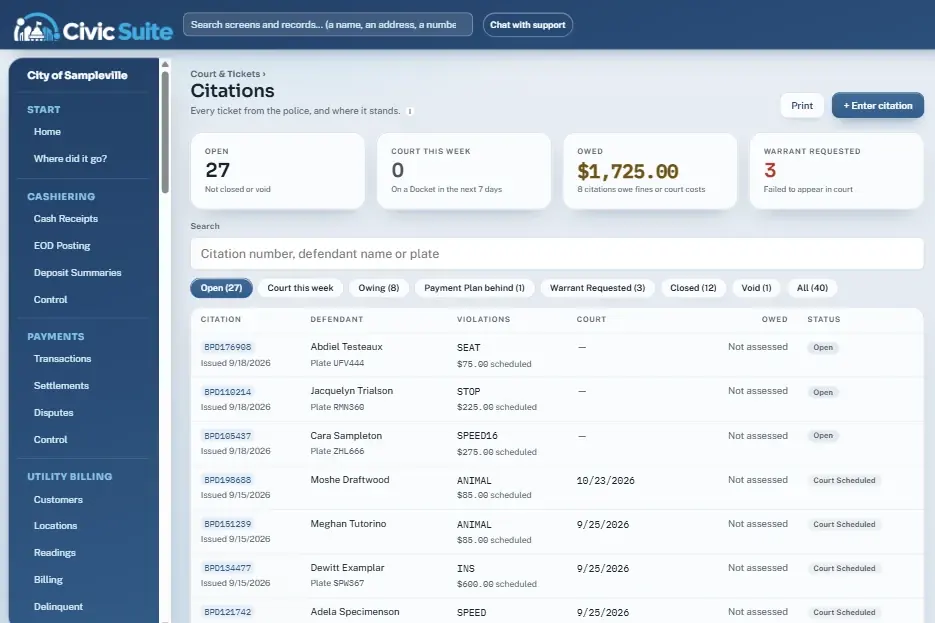
Citations copied from the police ticket, a printable docket, dispositions that assess fines and court costs to the GL, and payment plans that surface the moment someone misses a month.
Journal entries, account inquiry, trial balance and budget vs actual — with open purchase orders shown as encumbered. Accounts payable matches invoices to POs, runs checks and keeps the check register.
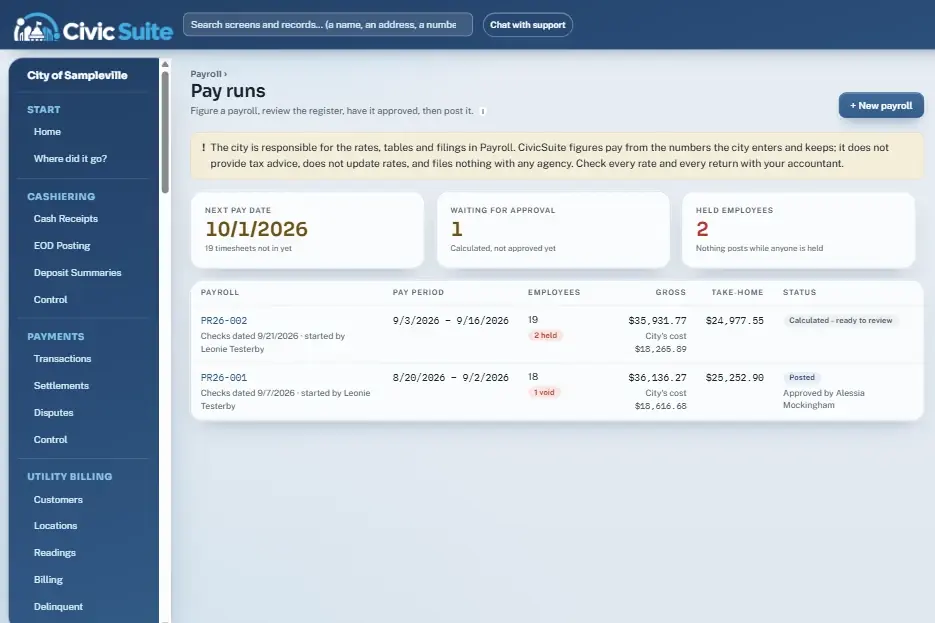
Approved timesheets feed the pay run. Calculate, review a register that flags big swings from last payroll, get a second person's approval, then post. Voids back out wages, taxes and leave and reverse the GL entry.
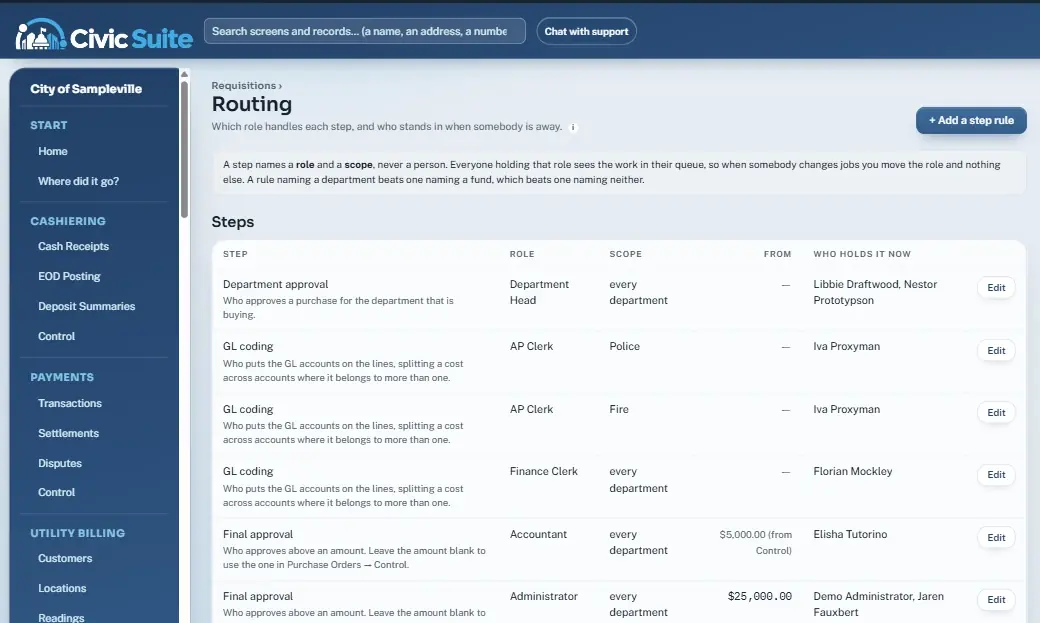
Requisitions go to the role that handles the next step: department approval, GL coding with splits, final approval above your dollar thresholds, then a PO number. Quote requirements follow your own purchasing policy bands.
Residents stop calling and driving in. They open the city's portal on their phone and take care of it themselves, and every request lands in the right queue at City Hall.
Water bills and other city balances by card or e-check, any hour.
Balance, due date, every bill, a usage chart and full payment history.
Moving in or out? Request it from the phone. Staff finish it in one click.
Missed pickup, water leak, street light out. It lands in City Hall's queue.
File a request and follow it under My requests until it's answered.
Line flushing and boil advisories at the top of every page, plus opt-in texts and emails.
Opens the demo right on the resident portal. Use Jump to… to see the rest of the tour.
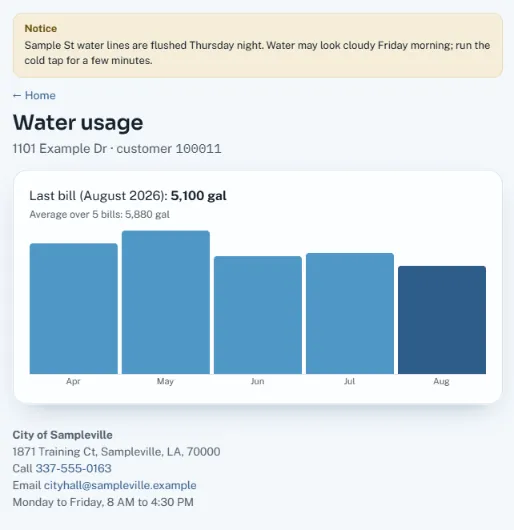
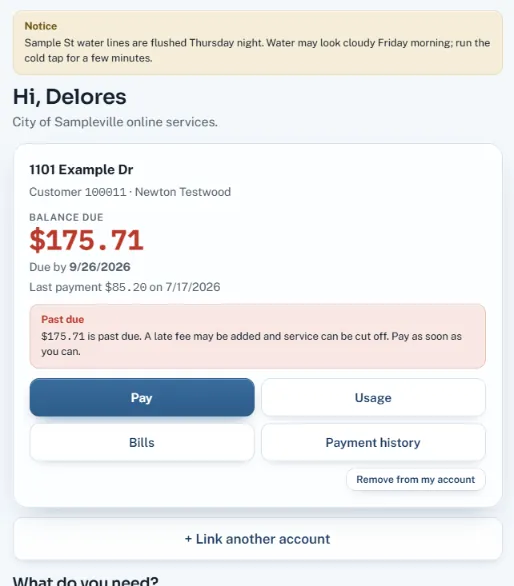
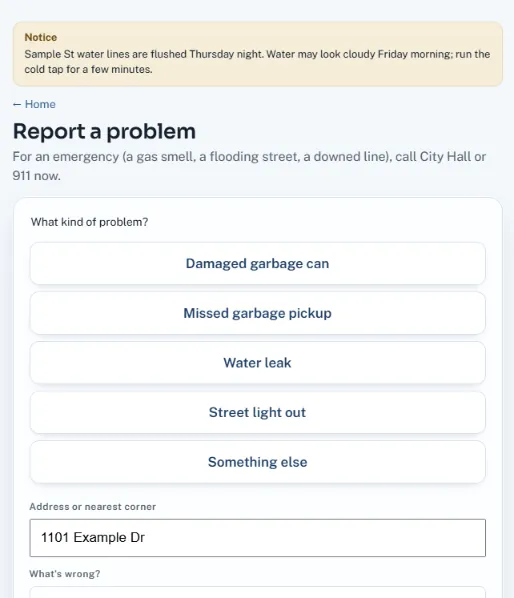
No app to install and nothing to download. CivicSuite runs in the web browser, so it goes wherever your people and your residents go.
The resident portal is designed for small screens first: big buttons, short forms, pay in a few taps.
The inspection schedule works on a phone. Tap an address for the map, tap a number to call the contractor.
Desktop at the counter, laptop in the council meeting, tablet on the road. One login, the same screens.
Each module is switched on per city, and each user sees only the modules and records their role allows.
Take payments at the counter, close the day with EOD Posting, and reprint any day's deposit summary.
Take cards and e-checks at the counter, by phone and online. Processor deposits matched and posted gross, fees and net.
Customers, meters, readings, bills and deposits on one screen. Odd readings are held before a bill run.
Fees figured as you type, a Check List that gates issuing, and an inspection schedule that works in the field.
Gross-receipts rate tables, automatic late penalties, and renewals that are safe to run twice.
Bonds, insurance and state license dates tracked. Expired paperwork blocks the permit.
Citations, docket, dispositions, payment plans and warrant-requested tracking.
Requests route to the role that handles the next step, with quote thresholds and out-of-office stand-ins.
Approvals by department and amount, PO numbers that never collide, receive and close from the PO.
Journal entries, account inquiry, trial balance, budget vs actual and year-end close.
Invoices matched to purchase orders with tolerances, check runs, check register and 1099 figures.
Timesheets, time-clock import, volunteer fire pay, two-person approval and what-is-owed tracking.
Import the roll, apply millages, certify, print notices and track delinquent interest.
Invoice customers, set up recurring monthly charges and watch aging.
Deadlines figured in business days, response letters and copy fees, late requests listed first.
Attach files or phone photos to any record. Deletes are hidden and logged, never destroyed.
Bill, past-due and court reminders to people who opted in. STOP opts out. Quiet hours respected.
Residents pay online by card or e-check, check balances and history, request service changes, report problems and file records requests.
Auditors, finance directors and council members want the same thing clerks do: numbers that add up and a trail that explains them.
Press / or Ctrl+K on any page to jump to a screen — or a customer, permit, citation, invoice, vendor or parcel by number, name, street or phone.
Every record says what to do now. When a button is grey, the page lists exactly what's missing instead of throwing an error.
Approvals route to a role and a scope. Stand-ins cover vacations. When someone changes jobs, you move the role and the queue follows.
Posted entries never change — corrections are reversing entries. Receipt, permit and license numbers are handed out automatically and never repeat.
Social Security and bank numbers are stored encrypted and shown as the last 4. Seeing a full number takes its own permission and is written to the audit log.
Odd meter readings hold a bill run. Held employees hold a payroll. Invoices over the PO stop until someone accepts the difference, with a reason.
A built-in crosswalk maps every menu item staff know today to where it lives in CivicSuite — and the search box understands the old names too. A few examples:
| The old way | In CivicSuite | Status |
|---|---|---|
| Batch receipts, printed at batch close | Take a payment → EOD Posting | Ready |
| SharePoint form + Power Automate flow | New requisition | Ready |
| Teams approval card | My queue | Ready |
| Department-head tables in Excel | Routing | Ready |
| Records requests tracked on paper or email | Public Records → Requests | Ready |
| Residents call, mail a check or drive to City Hall to pay | Resident Portal: pay online by card or e-check | Ready |
CivicSuite connects to the systems around City Hall instead of asking you to replace them.
BEACON Billing Reads file import, plus an optional scheduled API pull, with the same reading checks.
Import hours from a TimeClock Plus or similar CSV export. Map the columns once and reuse the profile.
Processor deposits matched to payments and posted gross, fees and net. Chargebacks linked to the original payment.
Notices with consent tracking, templates with live preview, quiet hours and a full message log.
A plan you can see from the first meeting, with your staff involved at every step.
We walk your counters, finance office and field staff and list every screen, form and report you depend on.
Fee schedules, rate tables, GL accounts, routing roles and thresholds set to your ordinances and policies.
Customers, accounts, vendors and open items brought over, with numbering continued from your old system.
Hands-on sessions by role. The crosswalk and search mean staff find their old menus on day one.
We're on call through the first close, first bill run and first payroll — then keep improving with you.
What city administrators, clerks and finance directors ask us most.
Cashiering and end-of-day posting; card and e-check payments with settlement matching; utility billing; building permits and inspections; business licensing; contractor licensing; court, citations and payment plans; requisitions and purchasing; general ledger; accounts payable; payroll; property tax; miscellaneous receivables; public records requests; documents; text and email notices; and a resident portal. Each city turns on the modules it uses.
No. CivicSuite figures pay from the rates and tables the city enters and produces the quarterly and year-end figures as worksheets. The city and its accountant file the returns. We'd rather say that plainly than promise something a payroll service does.
Access is role-based, so each person sees only what their role and the city's modules allow. Social Security and bank account numbers are stored encrypted and shown as the last 4; revealing a full number takes a separate permission and is written to the audit log. Deleted documents are hidden, not destroyed, and keep a record of who deleted them and why.
CivicSuite imports the BEACON Billing Reads file from Badger Meter, and can pull Billing Reads through the BEACON API by hand or on a schedule once a city turns that connection on. Every reading goes through the same checks: backwards or unusually high readings are held until someone clears them.
The “Where did it go?” crosswalk maps every old menu item to its new home, and the search box finds screens by their old names too. Old user IDs are kept on each person for reference, and your permit and license numbering can continue where it left off. We scope data conversion with each city up front.
Residents open the portal on their phone to pay by card or e-check, see balances, bills, usage and payment history for their linked accounts, ask to start or stop service, report problems and file public records requests. Staff handle every request from a single queue — nothing starts or stops by itself.
Yes. Residents pay utility bills and other balances through the CivicSuite resident portal by credit card, debit card or e-check. Payments land in the same Transactions list as counter and phone payments, and the processor's deposits are matched and posted to the general ledger gross, fees and net. Each city chooses its processor and any convenience fee in Payments → Control.
Yes. The live demo uses made-up data for a fictional City of Sampleville and includes a guided tour with optional voice narration. No sign-up needed.
The live demo includes a guided tour of the City of Sampleville. Scan the code with your phone, or book a walkthrough focused on your city's departments.